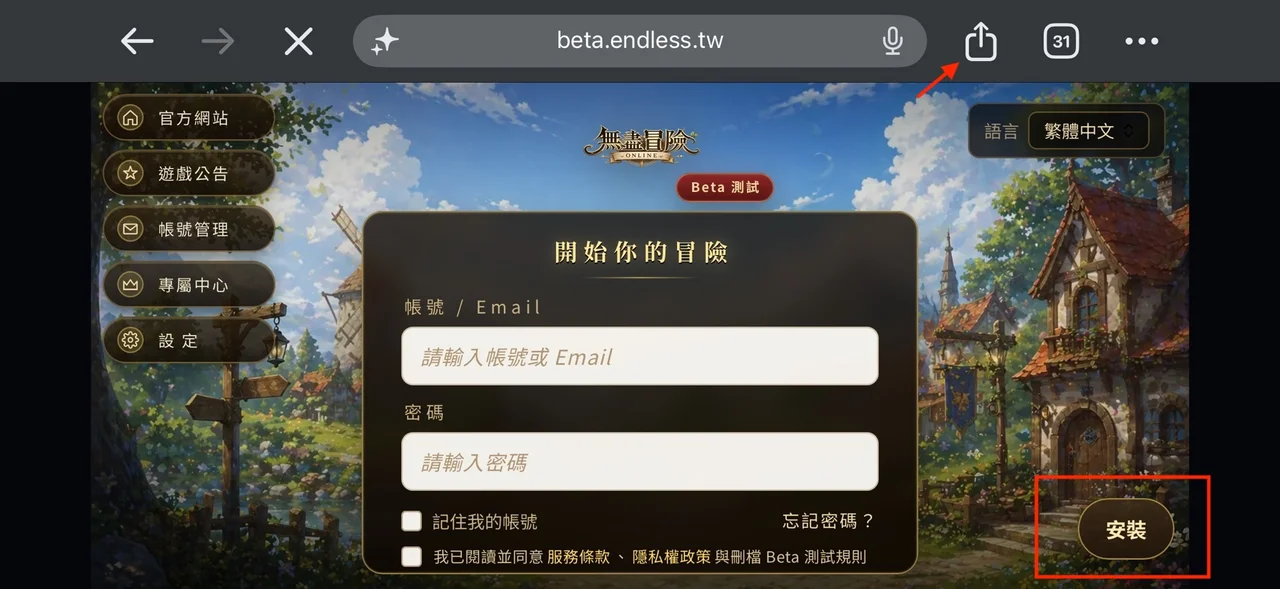
1Tap the in-game "Install" button
Open play.endless.tw in Safari. The login screen has an Install button at the bottom right — tap it to bring up the install instructions.
Install Guide
Add Endless Adventure Online to your home screen or desktop: full-screen launch, an app icon, faster entry. No download, almost no storage used.
Using Google / Discord / LINE sign-in? Do this before installing: register in the web version first, then set a username and password under Account Management in the game. After that, sign in to the installed version with that username and password.
iPhone / iPad
Four steps — the red boxes mark where to tap. Make sure you open the game in Safari.
Open play.endless.tw in Safari. The login screen has an Install button at the bottom right — tap it to bring up the install instructions.
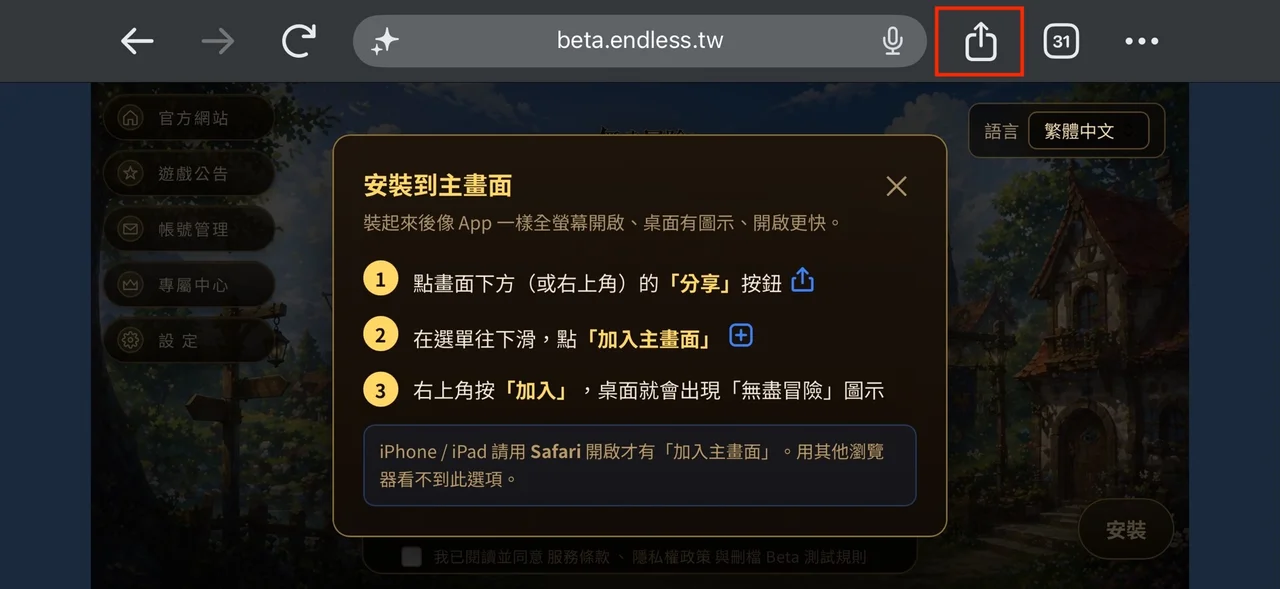
Follow the instruction window and tap the Share button at the top (or bottom) of the browser. Note: on iPhone/iPad you must use Safari — other browsers don’t show "Add to Home Screen".
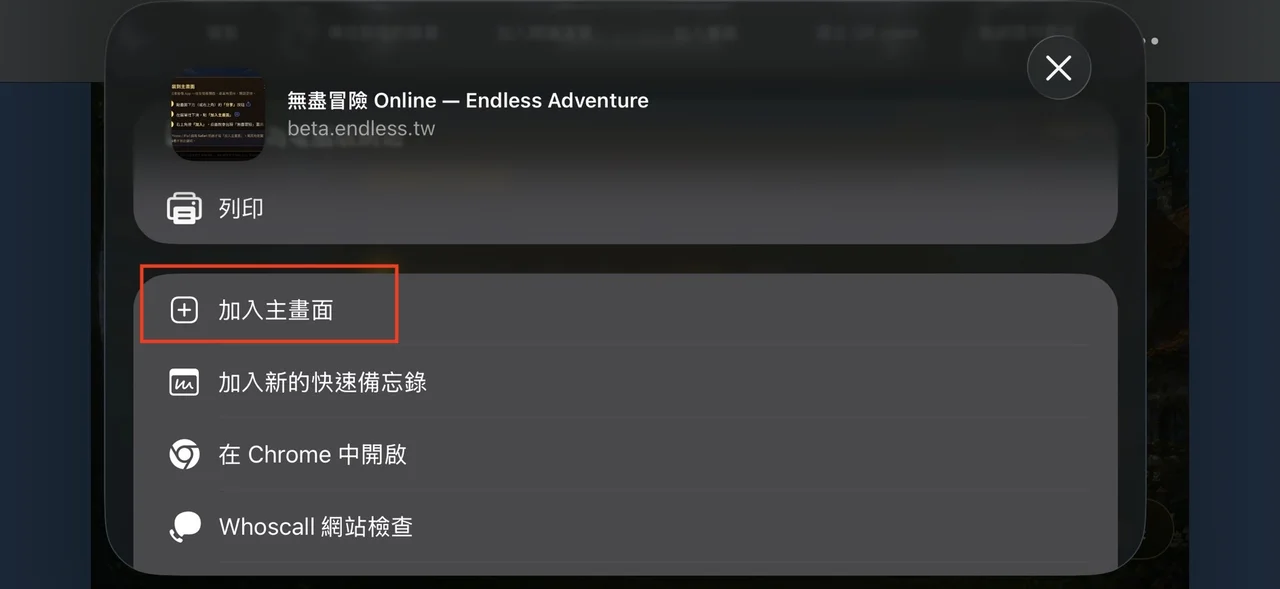
In the share menu, scroll down until you find "Add to Home Screen" and tap it.
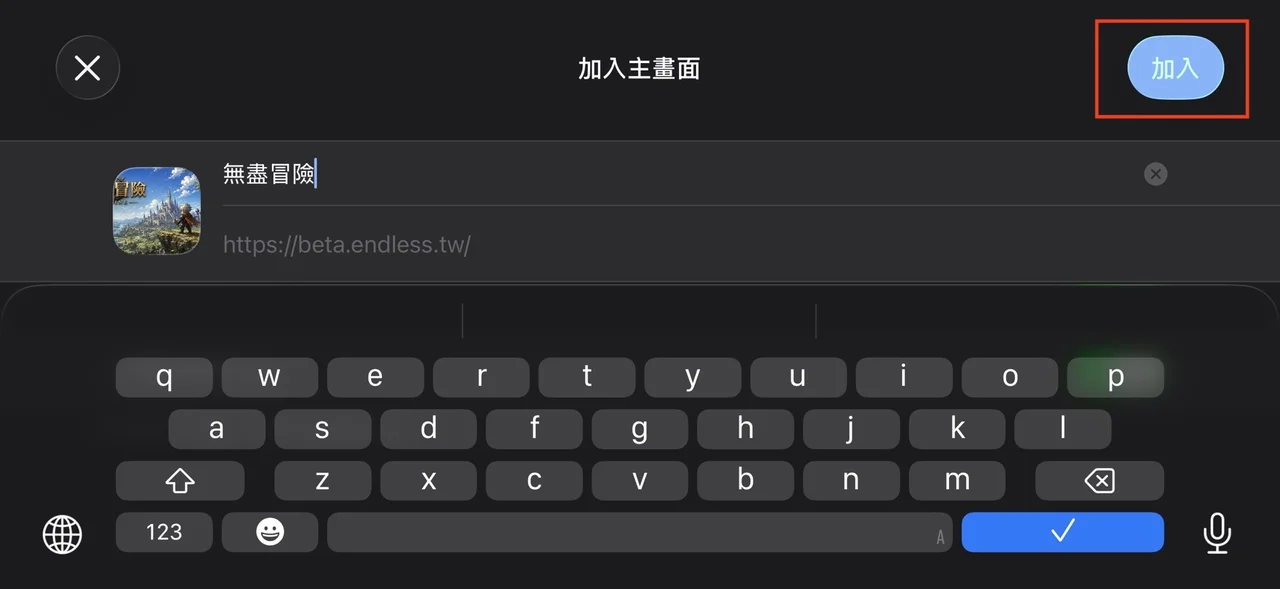
Tap "Add" at the top right and the game icon appears on your home screen. From then on it opens full-screen, just like an app.
Android
Open play.endless.tw in Chrome and tap Install in the address bar or browser menu. The game icon appears on your home screen and opens full-screen.
Don’t see an install button? Tap the "⋮" menu at the top right and look for "Install app" or "Add to Home screen".
PC / Mac
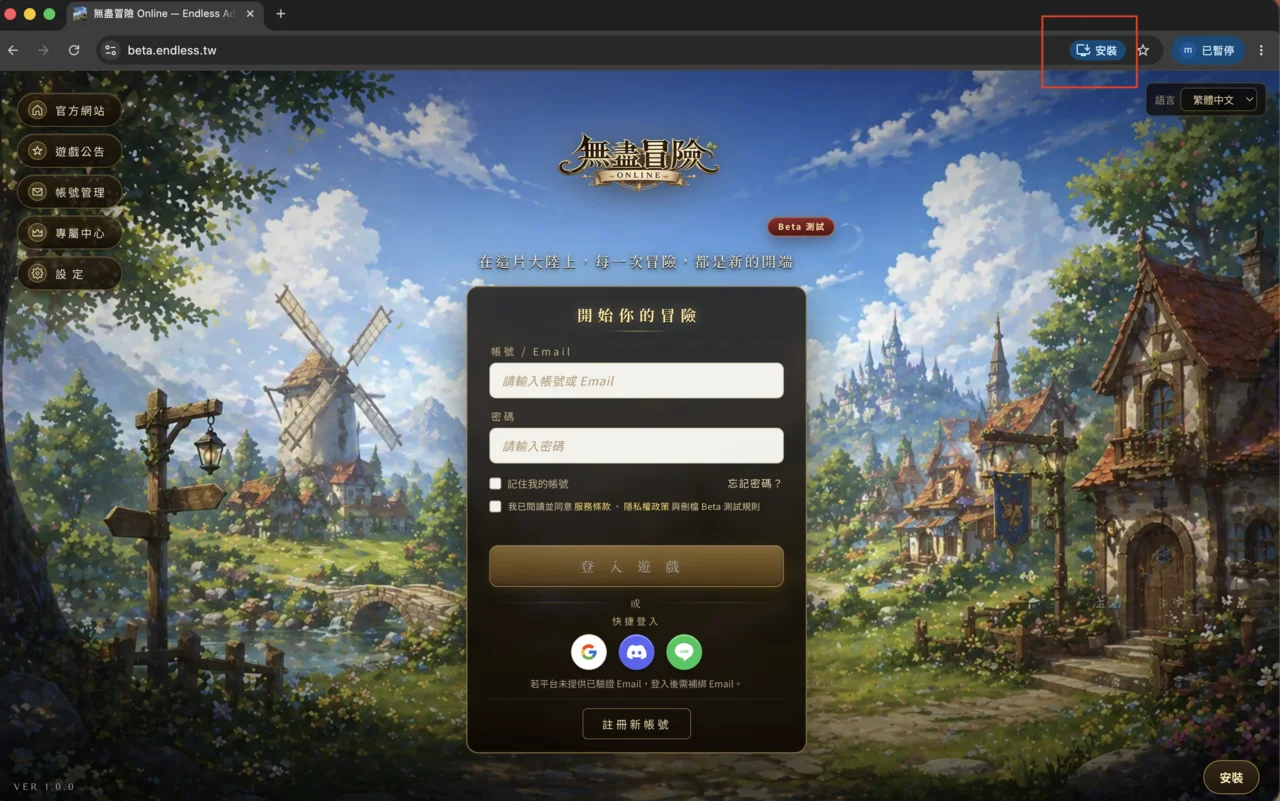
Open play.endless.tw and click the install icon on the right side of the address bar (red box), or the install button at the bottom right of the page. The game then launches in its own window like a desktop app.
FAQ
No. Installing is optional — the game runs directly in your browser at play.endless.tw. Installing just gives you full-screen launch, a home-screen icon and faster entry.
iPhone and iPad only show "Add to Home Screen" in Safari. Open play.endless.tw in Safari and follow the steps again.
Almost none. This doesn’t download the full game — it adds a launcher to your home screen (a PWA), which uses minimal space.
Same as any app: long-press the icon on your home screen and remove it. Your account and progress are not affected.
Related
Official Service Live
No download and no invite code — open play.endless.tw in your browser and start playing. Patch notes, events and community chat live on the official Discord.